I’m a developer. I type for roughly 8 hours a day. At some point it made sense to actually care about the thing I’m spending that time on. Then it made too much sense. This post is where I’ve ended up.
Fair warning: mechanical keyboards are a hobby with a very deep rabbit hole. I’ll try to give you useful information without sucking you into it against your will, but the hobby does have that quality.
Do You Even Need a Mechanical Keyboard?
Probably not in a strict sense. The keyboard you have works. That said: if you type all day and haven’t tried a good mechanical board, the difference in comfort and feedback is real. Not “audiophile-hearing-things-that-aren’t-there” real — actually, noticeably real.
The main thing mechanical keyboards give you is tactile or auditory feedback that helps your fingers know when a key registered, so you’re not bottoming out every keystroke. Over a full workday this reduces a surprising amount of fatigue. That’s the practical case.
The impractical case is that they’re just satisfying to type on, and that’s also a valid reason.
What I Actually Use
Daily driver: Keychron Q1 Pro with Gateron G Pro Brown switches.
I’ve been on this board for over a year. The Q1 Pro’s gasket mounting gives it a soft, bouncy typing feel that I haven’t found on anything in this price range. The aluminum body is solid without being absurdly heavy. QMK/VIA support means I can remap every key without any special software. Wireless works reliably.
If you’re looking for one board and don’t want to think too hard about it: this is the one I’d point you to.
The HHKB Situation
I bought an HHKB Professional Hybrid Type-S after reading too many forum posts and telling myself I deserved it. The honest verdict: it’s the best typing experience I’ve had on any keyboard.
The Topre switches feel like nothing else — tactile, smooth, and quieter than any mechanical switch I’ve tried. The compact 60% layout moves the delete key to where most keyboards have backspace, and the control key is where caps lock usually lives. This takes about a week to adjust to. After that adjustment you stop noticing it.
The problems: $299 is a lot to spend on a keyboard. The 60% layout removes arrow keys and the nav cluster, which some people need. There’s no QMK support. And it’s not hot-swappable, so you’re committed to Topre.
I use it as my secondary board for focused writing/coding sessions. If someone told me I could only keep one keyboard it’d probably be this one, which says something.

HHKB Professional Hybrid Type-S
~$299
The best keyboard I've owned. Not the most practical recommendation, but if you type professionally and want to stop thinking about keyboards after this purchase — here it is.
Check Price on AmazonThe Nuphy Air75 V2 — Travel Board
I needed something I could throw in a bag without feeling bad about it. The Air75 V2 became that. Low-profile switches, 75% layout (function row + arrow keys, which matters when you’re away from your main setup), gasket-mounted so it doesn’t feel cheap, and wireless.
The low-profile form factor takes some adjustment if you’re used to standard keycap heights. After a few days I stopped noticing. Battery life is measured in weeks with RGB off.
This is also a good option if you’re not sure about the mechanical keyboard thing and don’t want to commit to a full-height board. It sits flatter on your desk than a standard board, which some people prefer permanently.
Starting Out — Don’t Overthink It
If you’ve never used a mechanical keyboard and want to find out what you like without spending $200:
Get the Keychron C3 Pro. It’s around $45, it’s hot-swappable (you can change switches without soldering), and it has QMK/VIA support which is rare at this price. It will let you figure out whether you prefer linears, tactiles, or clicky switches before you commit to anything expensive.
Most people’s progression: cheap starter board → figure out switch preference → buy something nicer. The C3 Pro handles the first step well.
Switch Reference
Not going to go deep on this here, but the short version:
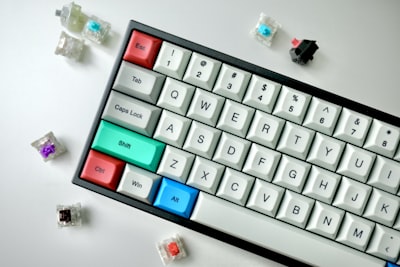
- Linear (Red): Smooth keypress, no tactile bump, quieter. Good for fast typing and gaming.
- Tactile (Brown/Clear): Slight bump when the key registers. Nice feedback for typing without the noise of clicky switches.
- Clicky (Blue): Bump plus an audible click. Satisfying. Annoying to everyone around you.
- Topre: Different tech entirely. Smooth with a unique tactile feel that’s hard to describe. Expensive.
If you’re in an office or have people nearby: linears or tactiles. Clicky in a shared space is a bad decision that affects other people.
Affiliate links above. I earn a commission on purchases, which covers the site. See the disclosure page.